
Five Key Features of Portainer
Five Key Features of Portainer 1. Docker Environments 2. Access Control 3. CI/CD Capabilities 4. …
07.05.2023
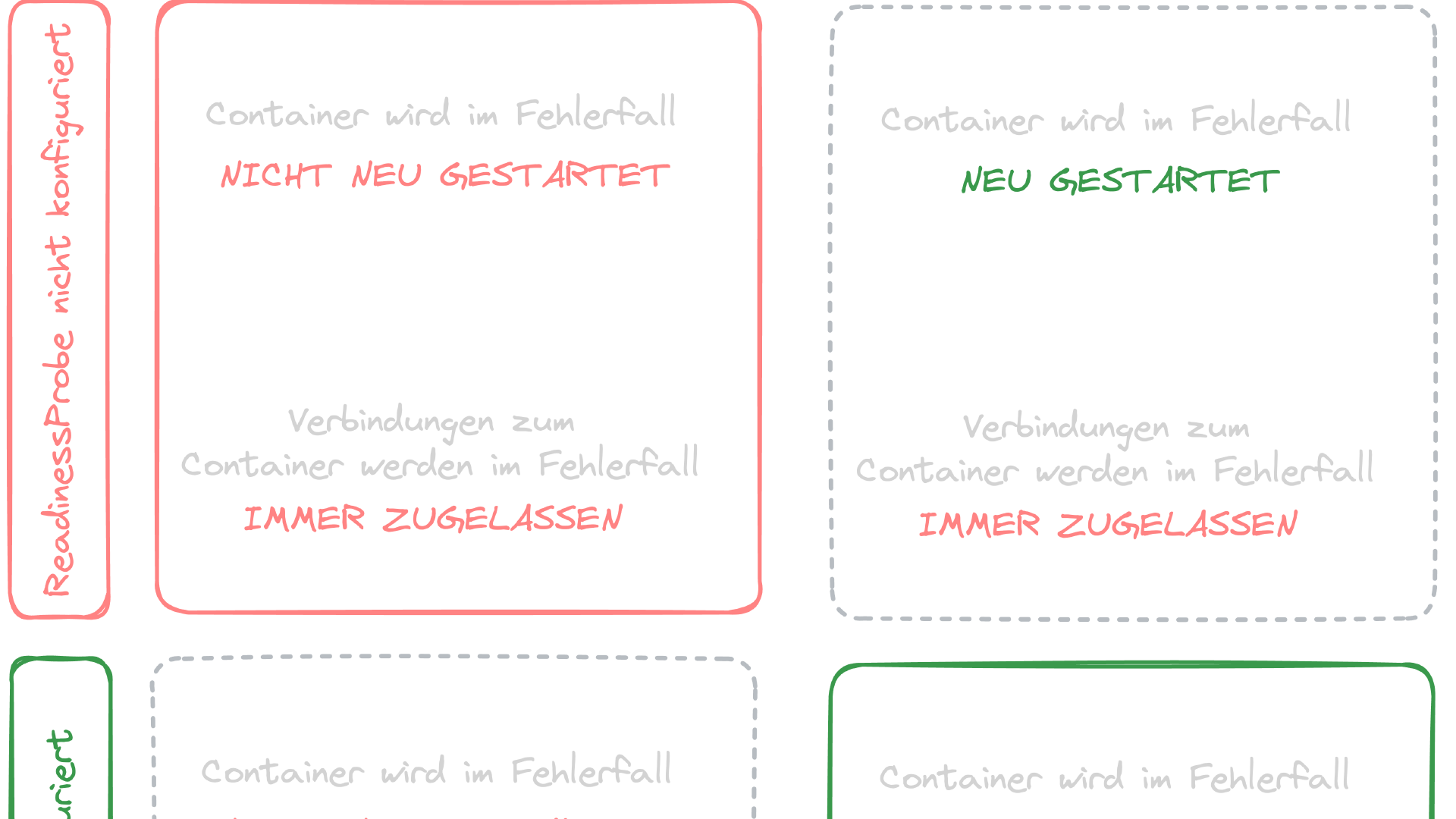
Probes are checks that the Kubelet of a node performs on or against a Pod to verify its status.
Using probes, you can check, for example, whether the container is listening on a specific port or whether programs running in the container return a specific exit code.
The result of a probe is interpreted by the Kubelet and triggers certain lifecycle events of a Pod. For instance, if a probe fails, it can signal the Kubelet to restart the Pod.
Common checks performed with probes to determine the status of a Pod include:
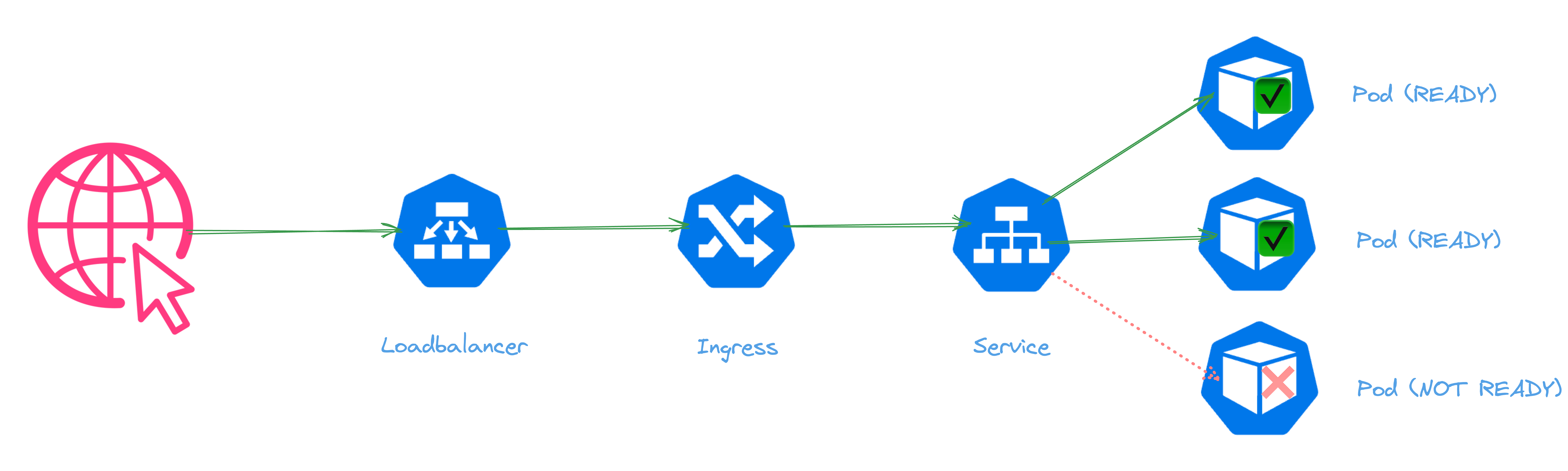
A Service ensures that a request (e.g., an HTTP request coming through the Ingress) reaches a Pod that is ready to process it. This “readiness” can be determined with Liveness and Readiness Probes. If a Pod is not “Ready,” it is removed from the Service object, which acts like a small, cluster-internal load balancer, and is only added back when it is ready to process requests. If a Pod is not “Live,” it (or the relevant Container of the Pod) is restarted.
The Liveness and Readiness of a Pod are determined by various probes, which are explained in more detail below.
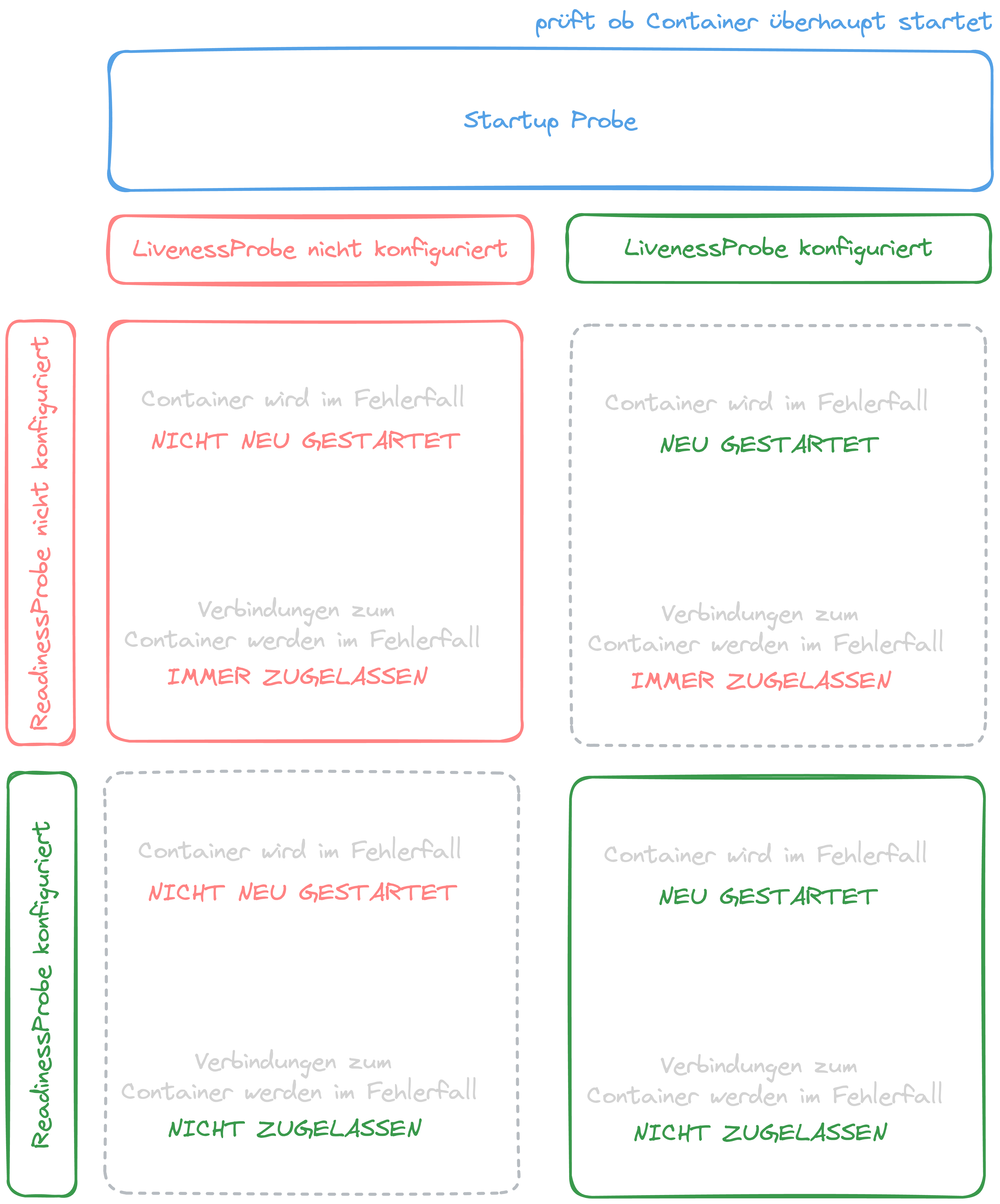
The StartupProbe checks whether a Pod starts at all. Only when this is the case will a Liveness or ReadinessProbe be conducted.
If the StartupProbe fails, the container is restarted.
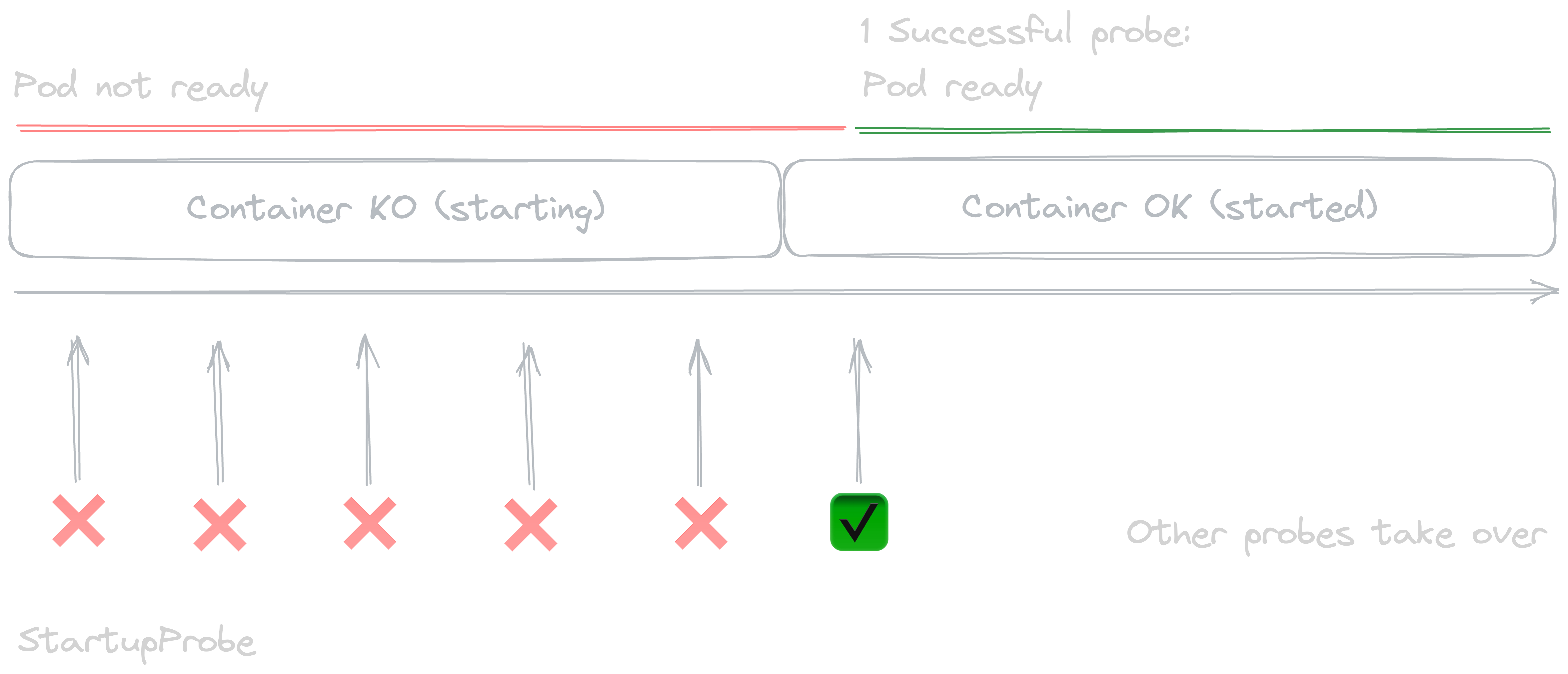
Many applications, especially long-running processes, can hang during their runtime without terminating. In these cases, only a restart of the process can restore its usual functionality.
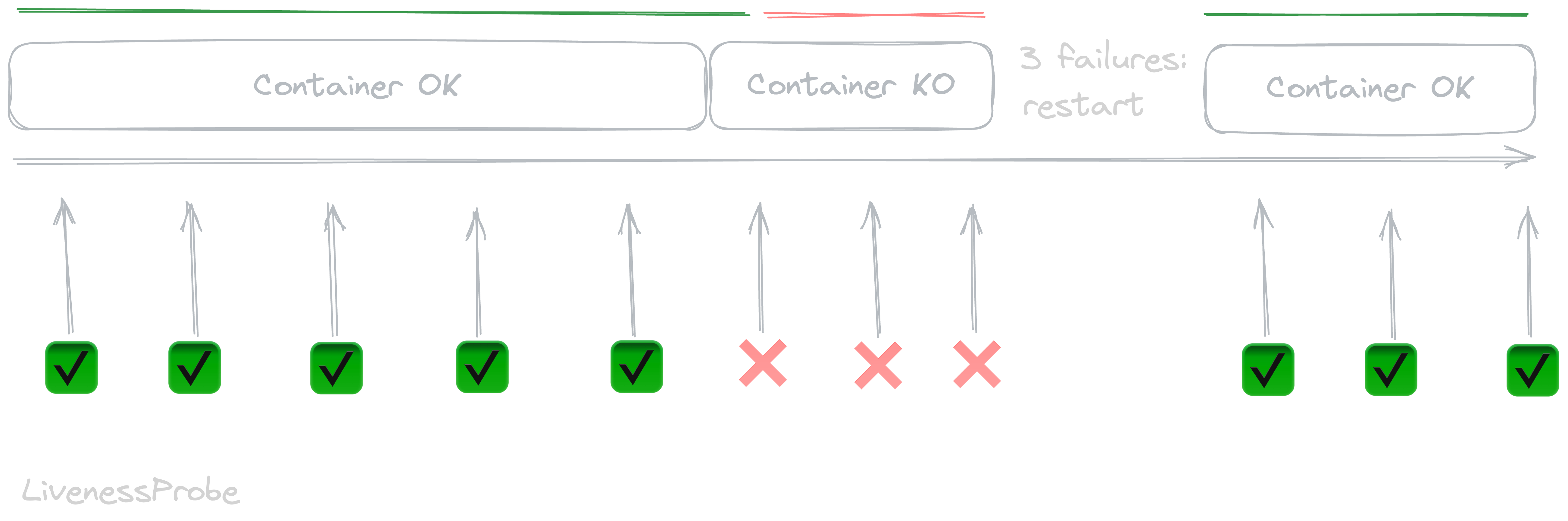
The LivenessProbe checks, for example, by calling an HTTP or TCP endpoint in the container, whether a container has hung or is live.
If the LivenessProbe fails, the container is restarted.
Sometimes applications are functional (i.e., the process is running without errors) but still unable to handle requests. This can happen, for example, if an external dependency like a database is unavailable.
In such cases, you don’t want to restart the process but rather prevent it from receiving requests since it can’t handle them anyway.
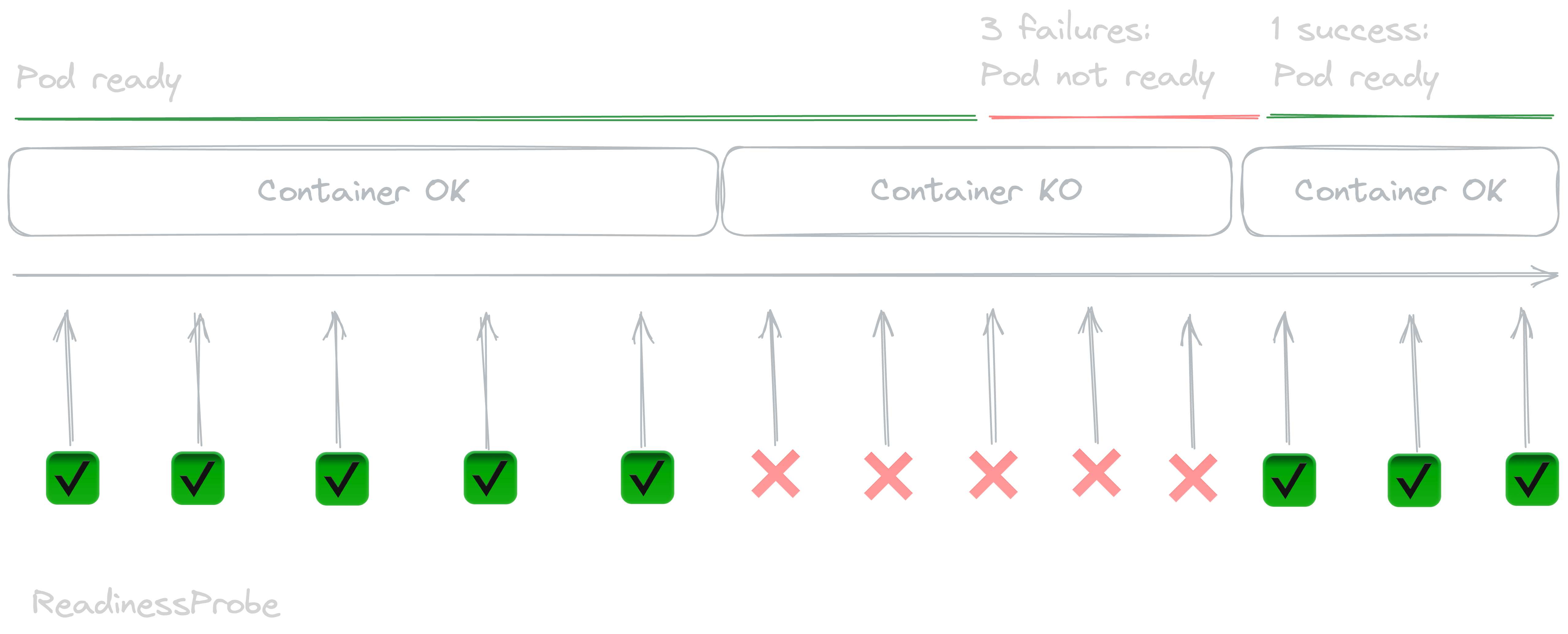
The ReadinessProbe checks whether a container is ready to correctly process external requests. If not, Kubernetes will not allow requests to this Pod through a Service object. The container is not restarted, but it also receives no more requests.
Liveness and Readiness Probes should be individually configured for each application. The default settings are not suitable for every service.
If your application has a long startup time before the container is live (i.e., the main process is running), for example, because a large amount of data must be loaded when the container starts, configure a sufficiently generous StartupProbe to prevent the container from being prematurely terminated by the LivenessProbe.
The LivenessProbe typically calls an HTTP endpoint like /health in the container to determine if the container is live. This probe should only attest to the correct functioning of the process but not check for external dependencies like databases. For example, if you have PHP and nginx running in the same container to provide an API, the LivenessProbe should only reflect the correct functioning of nginx (i.e., the web server responds to requests).
In the case of our PHP application, use the ReadinessProbe to check if the application is functioning correctly: can a connection to the database be established, is Redis reachable, are all static assets loaded correctly, etc. Failed ReadinessProbes do not lead to a container restart, allowing external dependencies to be restored during the container’s runtime.
Five Key Features of Portainer 1. Docker Environments 2. Access Control 3. CI/CD Capabilities 4. …

The release of Kubernetes 1.29 introduces an exciting new feature: an alpha capability that allows …

In a complex IT landscape, monitoring and understanding application performance can become a real …