Deploy getHomepage with Traefik Labels and Use Under a DNS Entry
In this post, we will show you how to deploy the dashboard app getHomepage using Docker Compose and …
09.06.2024
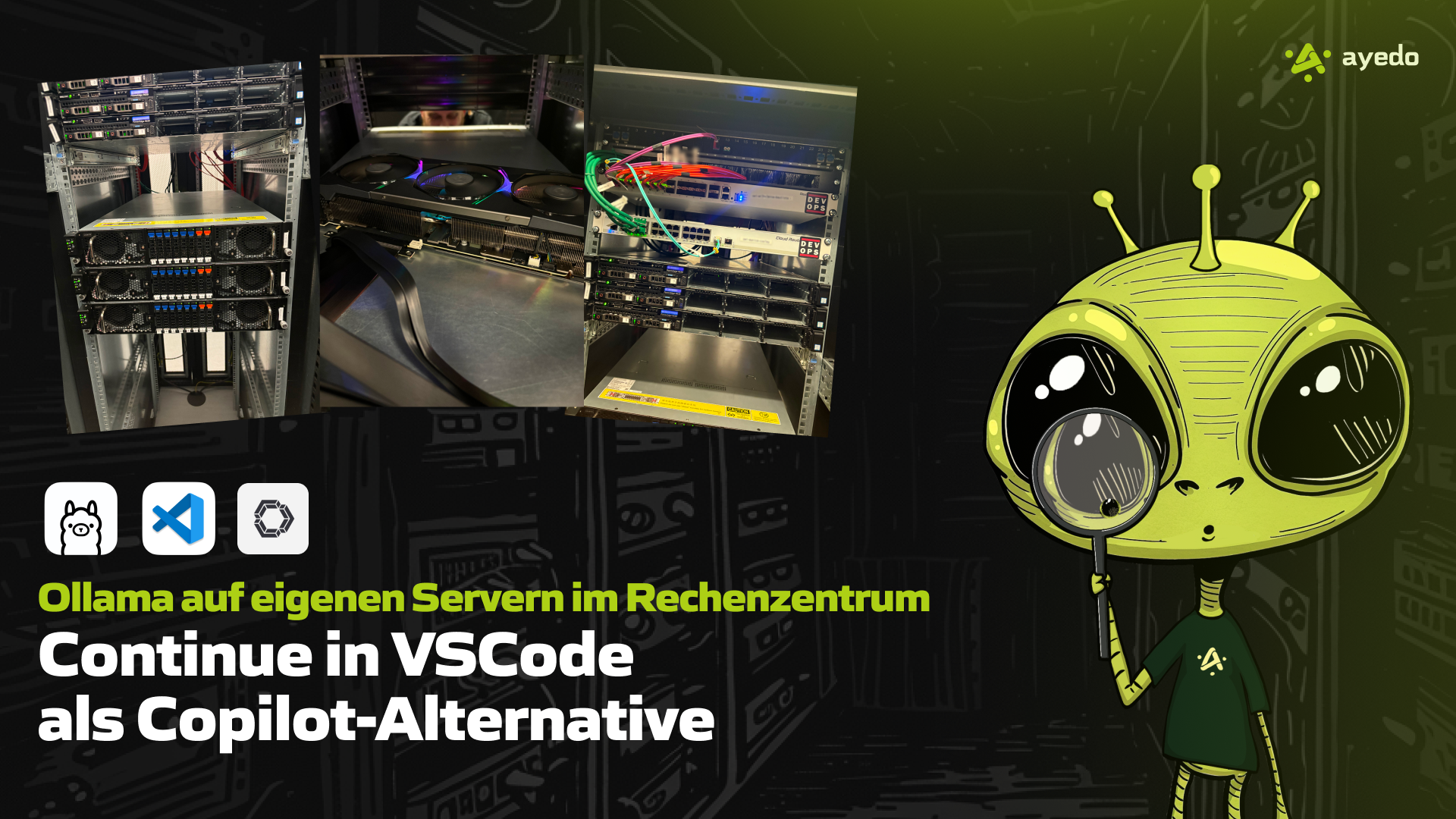
In today’s software development landscape, where AI-powered tools like GitHub Copilot and similar assistants provide support, many developers are seeking more flexible and privacy-friendly alternatives. An exciting option is the combination of Ollama and Continue. This solution allows developers to run their AI-powered coding assistants completely independently of external cloud services.
VSCode is a free, open-source text editor from Microsoft, highly popular among developers due to its extensibility and wide range of plugins (Extensions). It offers support for various programming languages and features like debugging, Git integration, and intelligent code completion. With its extensibility, AI-based tools like Continue can be seamlessly integrated to accelerate the coding process.
Ollama is a hosting framework for AI models that can be operated on local servers or in cloud environments. Unlike cloud-based solutions, Ollama allows full control over the AI models running on your own hardware. The unique aspect is that Ollama makes it easy to integrate various models—often available for free—without relying on third parties.
Using AI models like those available with Ollama offers the advantage of executing computational tasks on your own server equipped with a GPU. This architecture offloads the computational burden from local PCs, laptops, or devices. The benefits include:
Performance Optimization: Models run on dedicated hardware in the data center, specifically optimized for AI computations, significantly relieving developers’ local devices.
Stability and Reliability: Data center servers generally offer more resources and stable runtimes than conventional development devices.
Continue is an open-source plugin for Visual Studio Code (VSCode) that provides AI-based coding assistance and positions itself as a powerful alternative to GitHub Copilot. It can be configured to work with various AI models like those from Ollama and, by connecting to an external server such as a Kubernetes environment, access powerful GPU clusters. These clusters are specifically optimized for training and running machine learning models, ensuring that the computational load is kept away from local developer devices. This way, developers can relieve their devices while still benefiting from the performance of modern AI models.
A major advantage of Continue is that it can access Ollama via an API, ensuring all AI computations are conducted on local servers. This offers the crucial benefit of keeping data under your control, unlike GitHub Copilot, where data is sent to external cloud services.
Continue can generate complete lines of code or even entire functions with a single command.
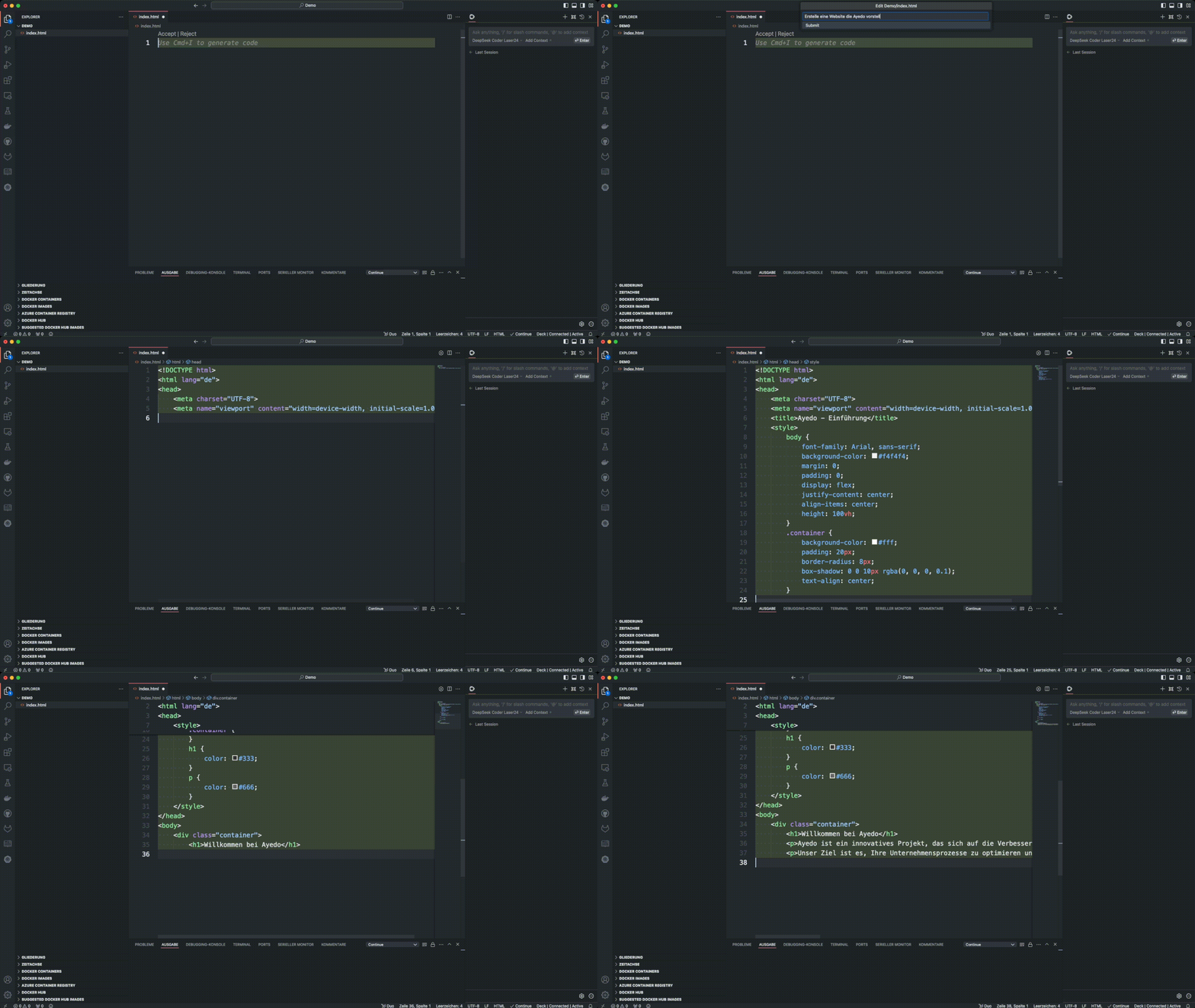
Continue suggests code snippets while typing, helping to speed up the coding process.
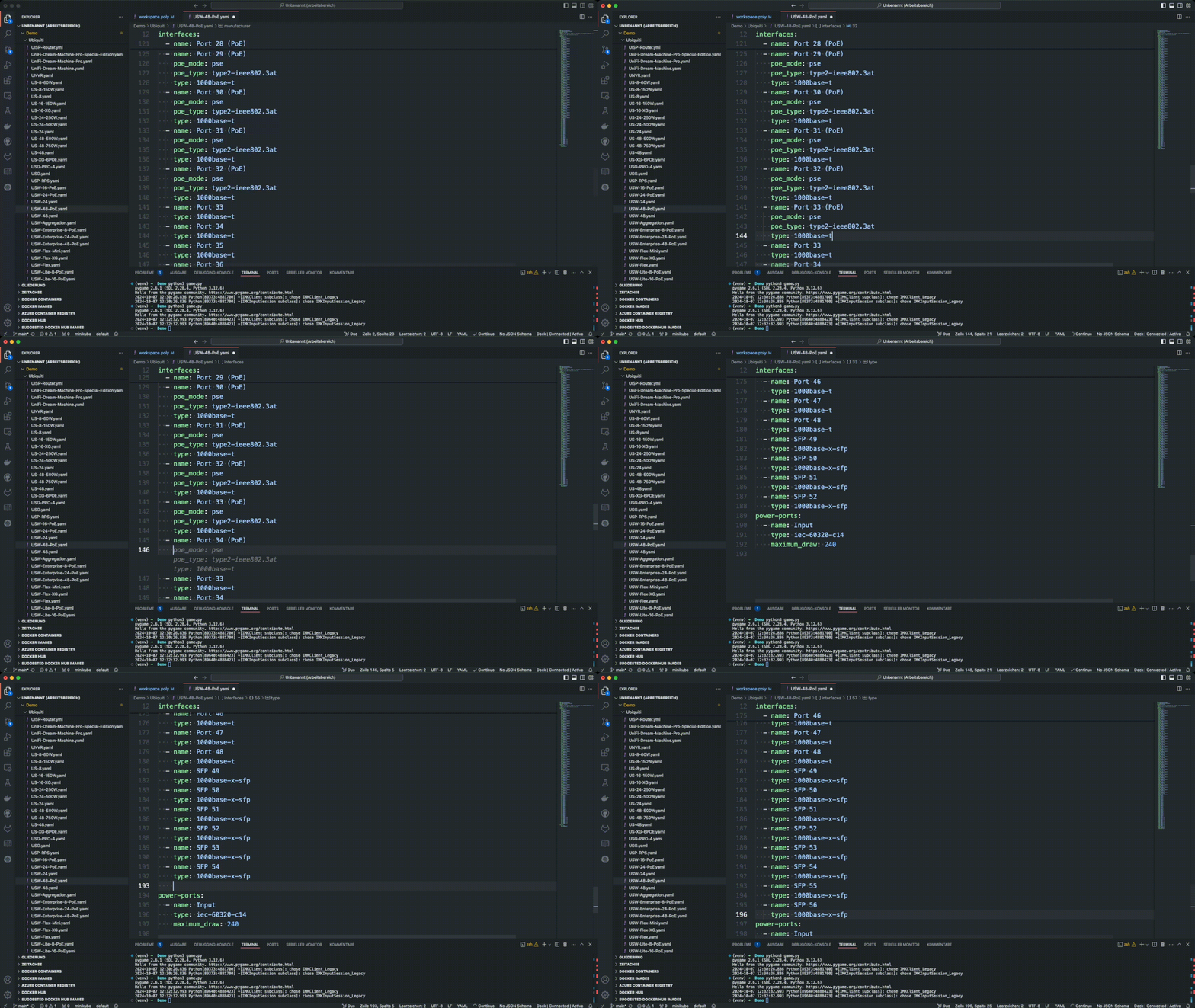
It offers not only individual lines but also suggestions for more complex logic and larger code sections.
Developers can ask questions about their code, which the AI answers directly.
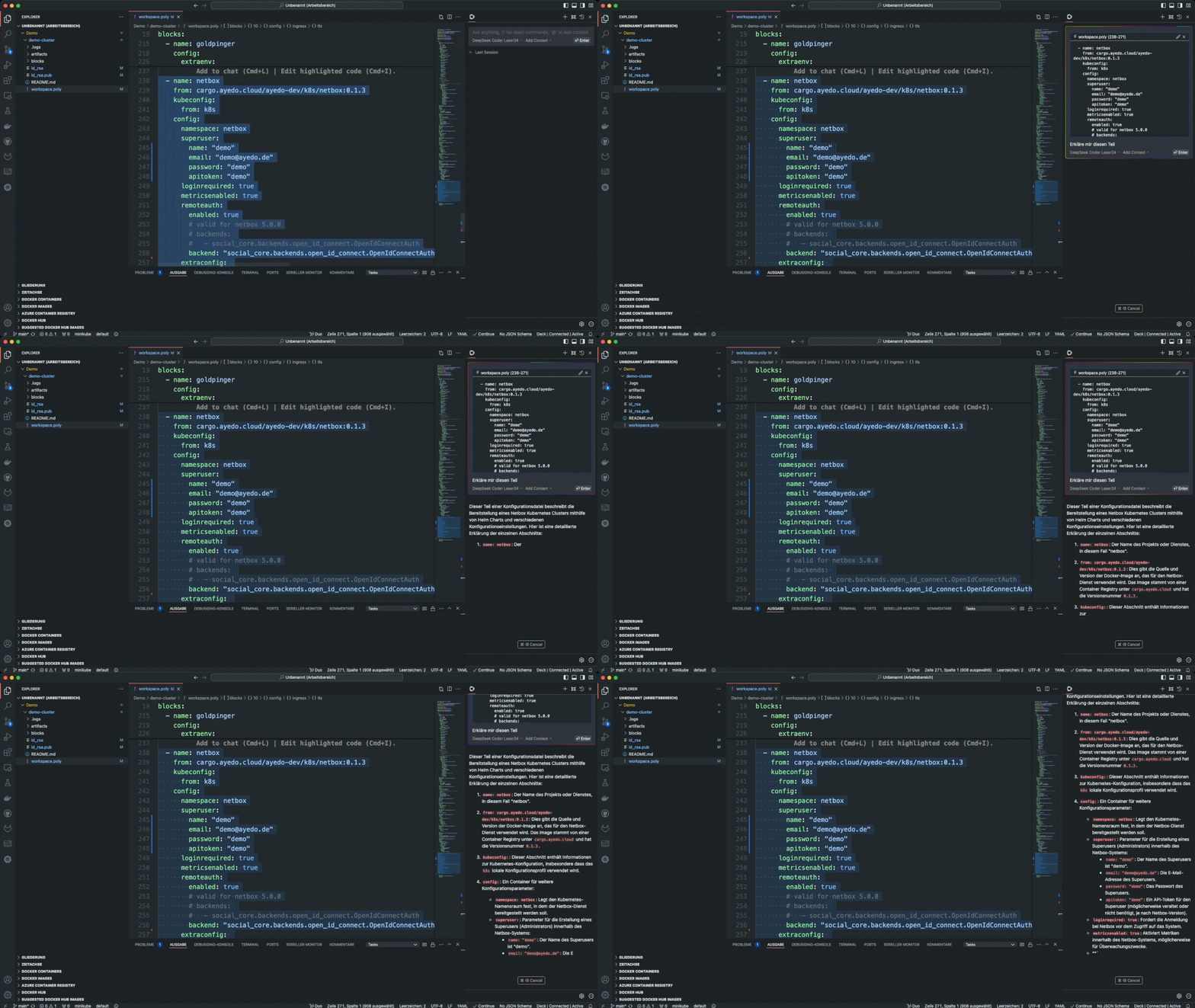
By configuring with Ollama, customizable AI models can be utilized, running on your own servers.
Easy Integration: Continue integrates effortlessly into VSCode and offers an intuitive user interface for developers.
Powerful AI Support: Similar to Copilot, Continue assists with coding and answers questions about the code. The significant difference is that it operates on local servers, allowing more control over your data.
{
  "models": [
    {
      "model": "AUTODETECT",
      "title": "Ollama via API",
      "apiBase": "http://url-der-ollama-api.com:11434",
      "provider": "ollama"
    },
    {
      "title": "llama3.2 via API",
      "model": "llama3.2",
      "apiBase": "http://url-der-ollama-api.com:11434",
      "provider": "ollama"
    },
    {
      "title": "DeepSeek Coder via API",
      "model": "deepseek-coder-v2",
      "apiBase": "http://url-der-ollama-api.com:11434",
      "provider": "ollama"
    }
  ],
  "tabAutocompleteModel": {
    "title": "DeepSeek Code via API",
    "provider": "ollama",
    "apiBase": "http://url-der-ollama-api.com:11434",
    "model": "deepseek-coder-v2"
  }
}
Here, the configuration defines the connection to an Ollama API. It’s possible to define multiple models that can be used in different contexts. Additionally, a tab for autocompletion is defined, which is also connected via the Ollama API.
A significant advantage of using Ollama on your own servers is that all data is processed solely on your own hardware. This has two crucial impacts:
Full Control Over Data: Since computations are performed on your own servers, all data remains local and under the control of the company or developers.
No Third-Party Risks: Unlike cloud-based solutions like GitHub Copilot, where data is sent to external servers, with Ollama, you have the assurance that no sensitive information is processed or stored by third parties.
Another plus of Ollama is the wide range of models available online for free. Depending on the need, developers can load different models, whether for general coding assistance or specialized tasks. This means:
Adaptability: Developers can choose the appropriate model based on project requirements, whether a simple model for code completion or a more complex model for error analysis and optimization.
Cost Savings: Since many of these models are available for free, companies can save significant licensing costs that might otherwise be incurred when using commercial tools like Copilot.
Using Ollama on your own servers in the data center, combined with Continue in VSCode, presents an excellent Copilot alternative. Developers benefit from AI-based coding support without impacting the performance of local devices. Moreover, local data processing ensures maximum security and control over your data. This solution is not only powerful and flexible but also a forward-looking step towards privacy-friendly AI development.
In this post, we will show you how to deploy the dashboard app getHomepage using Docker Compose and …
Introduction In this post, we will show you how to deploy Baserow using Docker Compose and Traefik …
Introduction In this post, we will show you how to deploy Mattermost using Docker Compose and …