Why You Should Use Portainer Instead of the Console: Introduction and Quick Start
Why This Post? What is Portainer? Practical Section Deploying Portainer Setting Up Portainer …
10.04.2023

As mentioned in the previous blog post, Portainer is a powerful tool that graphically represents and simplifies all Docker functions. Beyond the features known from Docker, Portainer offers several additional features that make managing Docker containers even easier.
In this blog post, I would like to introduce five of these features.
These features are not necessarily the most important ones, but the ones I find most interesting.
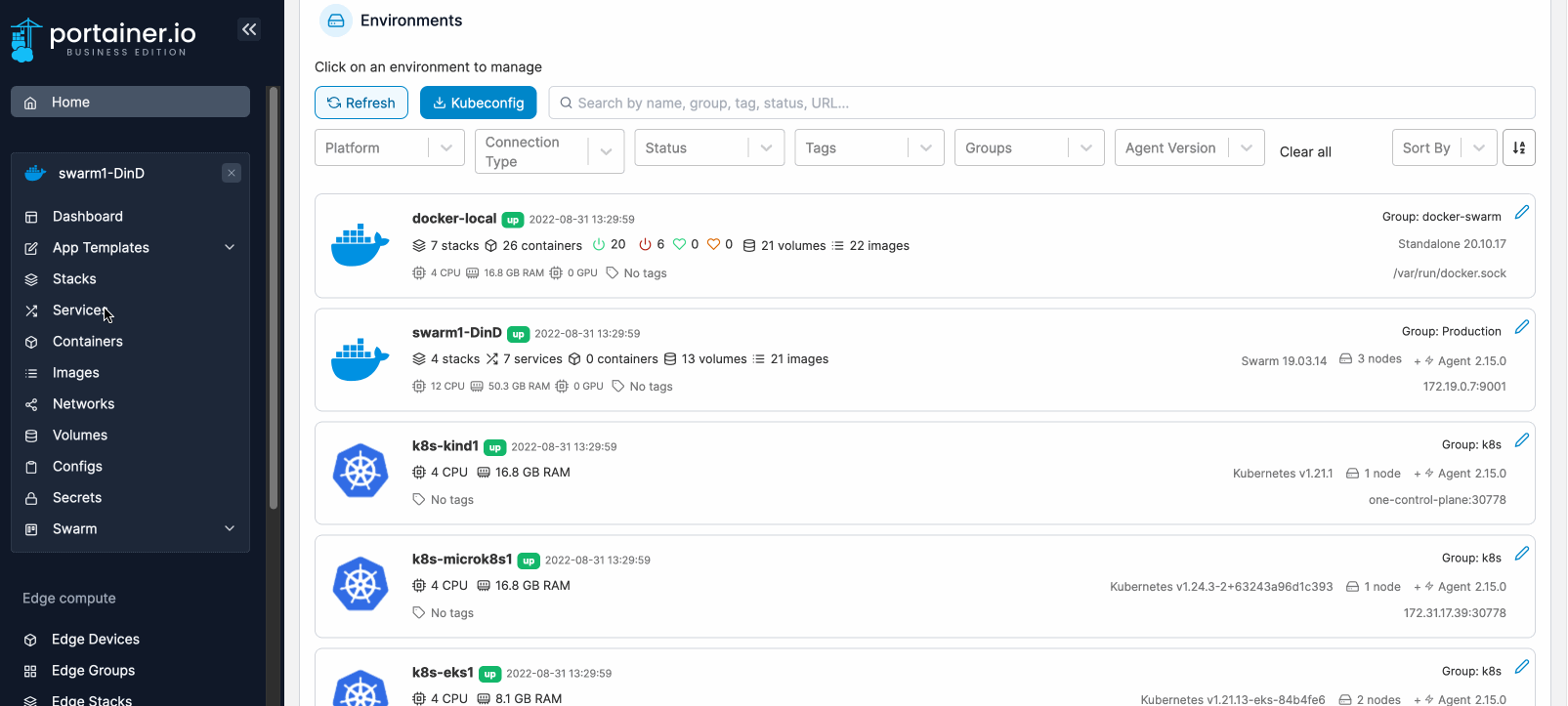
Portainer offers the ability to manage multiple Docker Environments or even Kubernetes Environments (more on that in point 5).
This is particularly important for developers and system administrators who work with various Docker installations.
With Portainer, users can add and manage multiple Docker hosts running on different VMs or servers.
This eliminates the need to switch between systems and allows users to conveniently switch between different Docker hosts via the Portainer GUI.
Besides greater flexibility and improved scalability, I believe the ability to separate systems functionally is a major advantage.
For instance, Department A can have one environment, and Department B another.
This can greatly assist developers in finding their way and keeping an overview.
Docker does not natively provide a way to manage users and groups and assign them permissions. Portainer addresses this by offering a simple solution.
Users and teams can be created, and permissions can then be assigned to them.
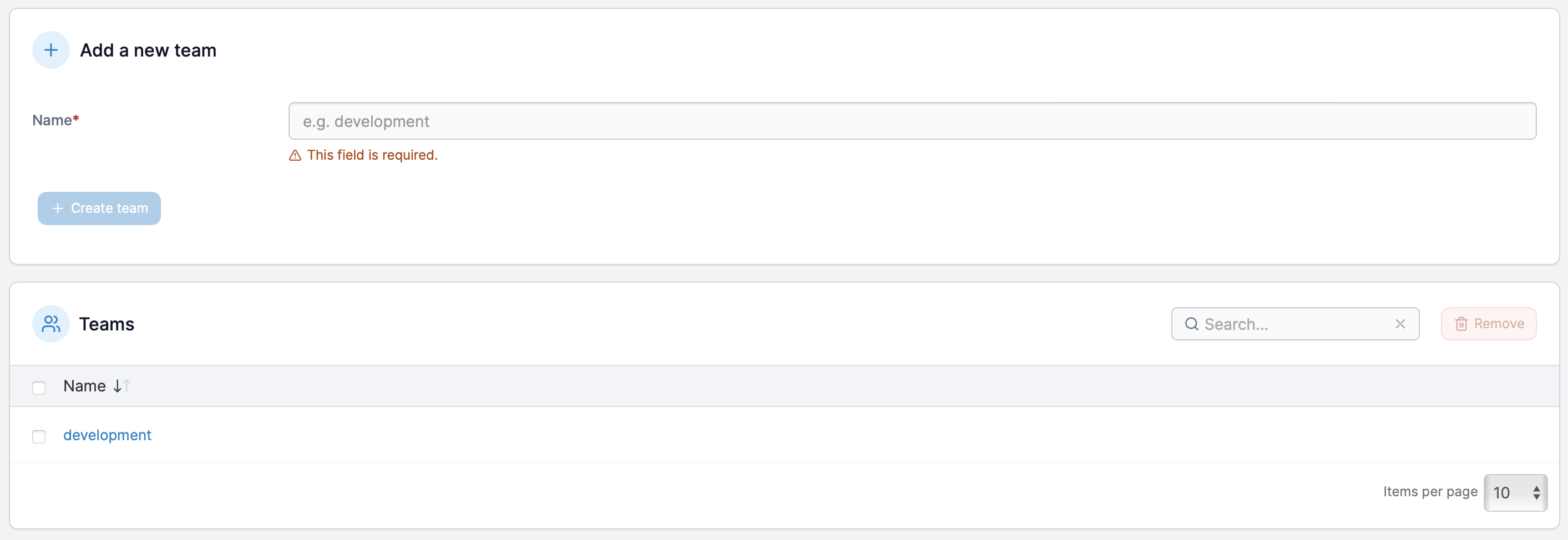
In this example, a Development team was created, and the permissions the team possesses are assigned elsewhere.
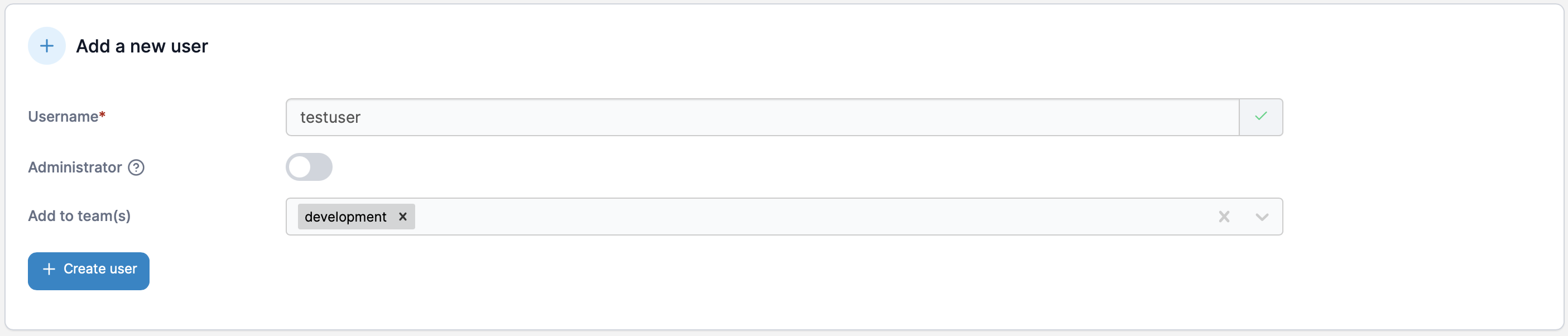
In the second step, a new user is created and assigned to the Development team.
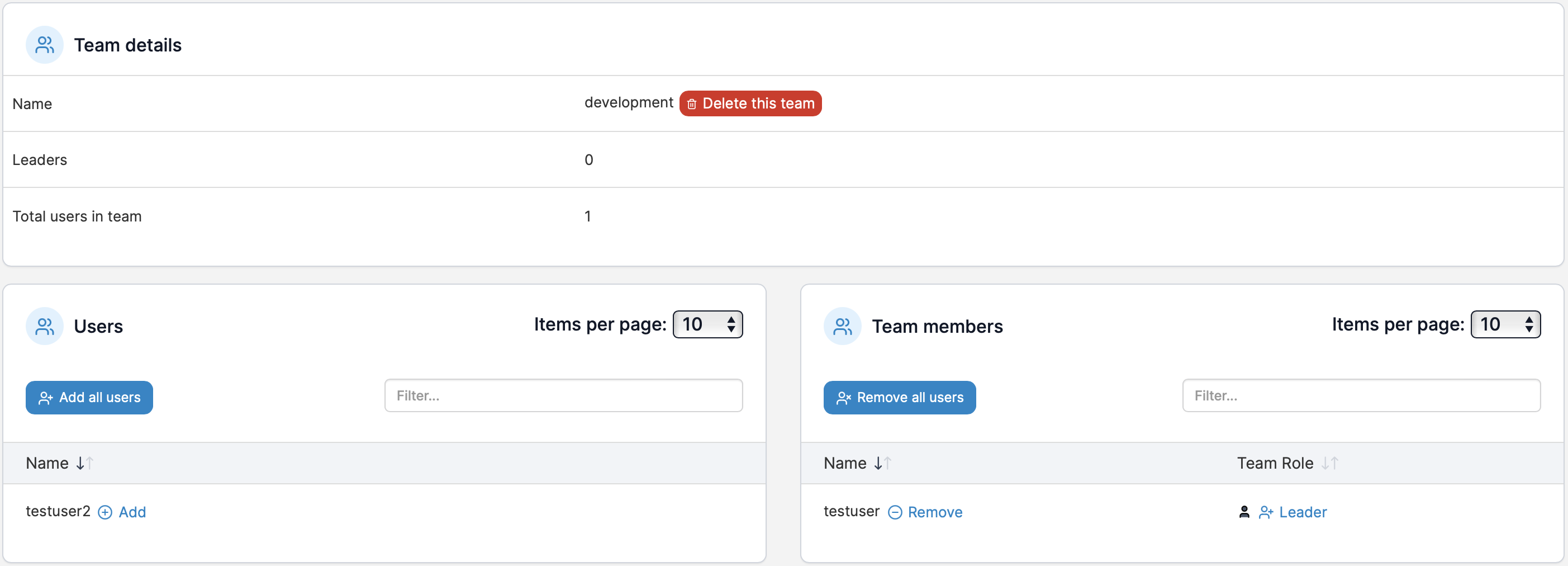 Looking at the team details, you can see which users have already been assigned to the team and which users can still be added. On the right, you see the newly created
 testuser, assigned to the development team. On the left, you see testuser2, who has not yet been assigned to the team.
Now we have created users and teams but have not yet assigned permissions. This is done in the next step.
This can be done for each environment. Let’s look at this in our example.

Through the environment settings, we can now manage access rights.
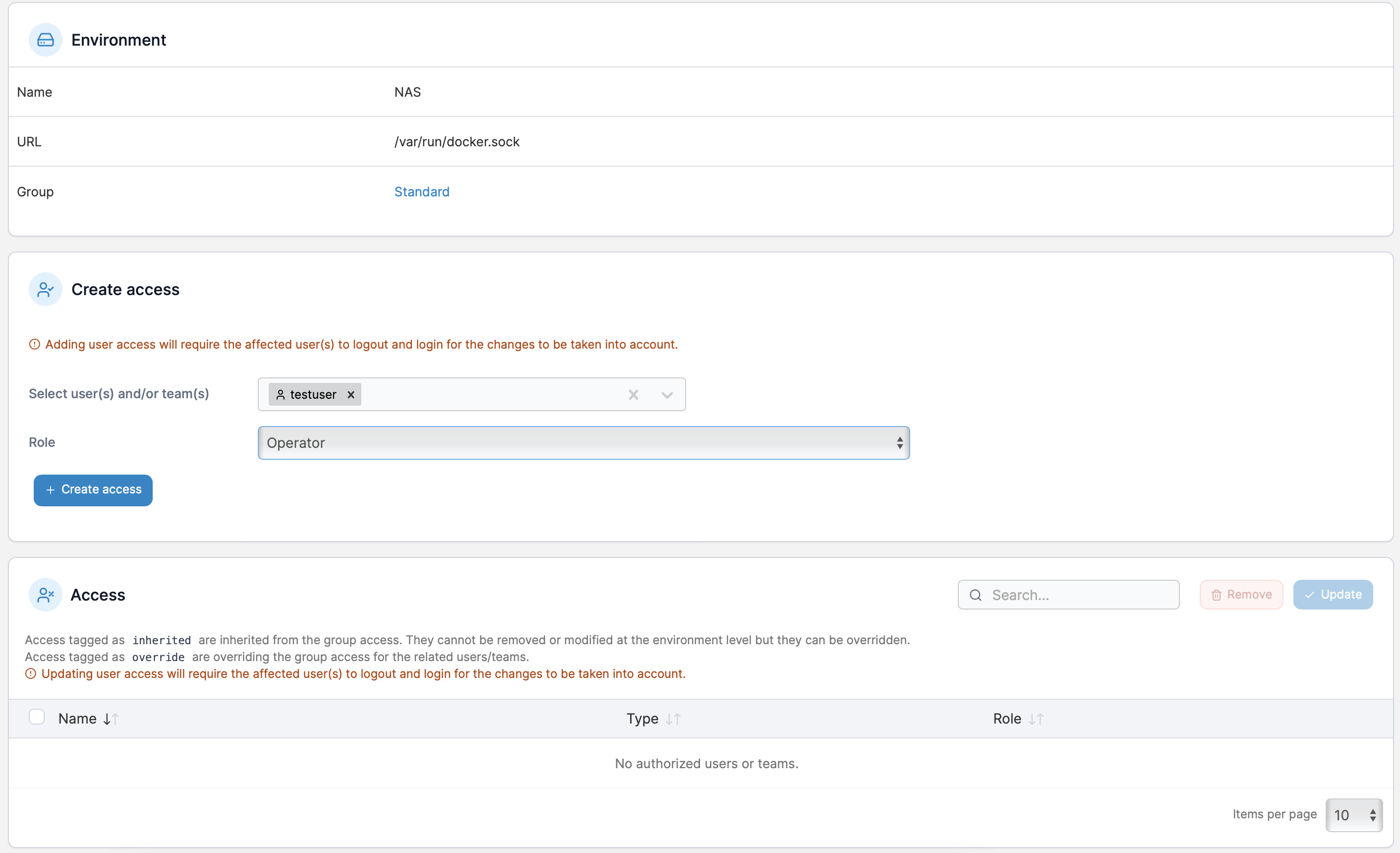
Once an environment is selected, both teams and users can be selected under Create access to assign them a role.
The following roles are available:
| Role | Description |
|---|---|
| Environment administrator | Full control of all resources in an environment |
| Operator | Operational control of all existing resources in an environment |
| Helpdesk | Read-only access to all resources in an environment |
| Standard user | Full control of assigned resources in an environment |
| Read-only user | Read-only access to assigned resources in an environment |
Of course, more granular permissions can be granted, but for most use cases, the settings shown so far are sufficient to manage access control.
When creating a stack, Portainer offers the ability to automatically update stacks when, for example, a newer version of an image is available.
If the image is tagged as latest, it will be automatically updated when a new version is available.
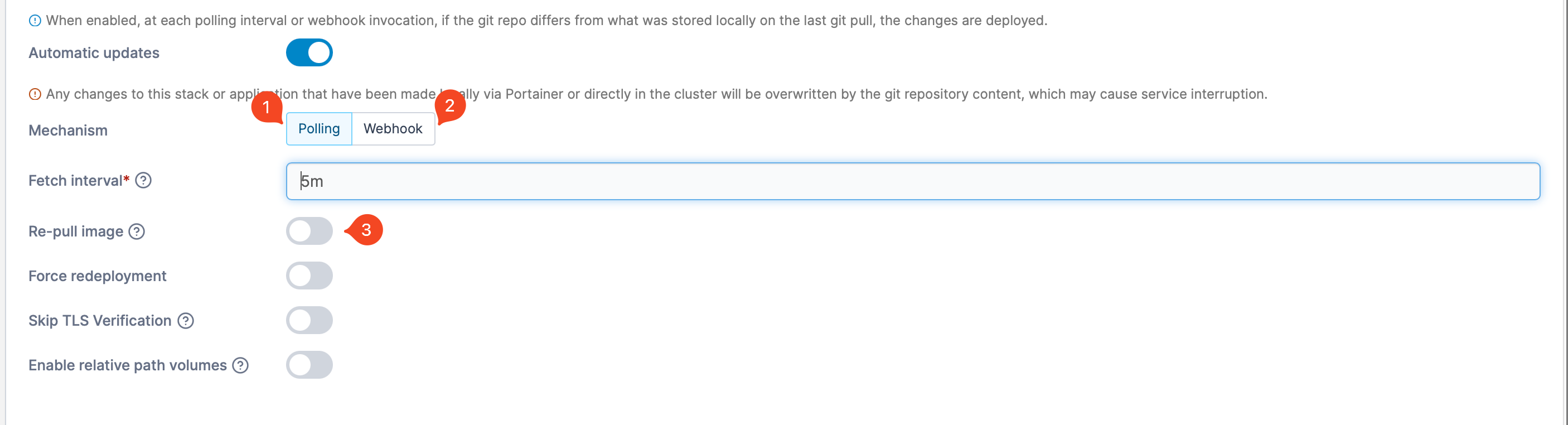
In addition to automatically updating images, Portainer also offers the ability to automatically update stacks when the configuration changes.
Either through a webhook or a polling interval, Portainer can check for newer versions. If a newer version is available, it will be automatically deployed.
In addition to the features mentioned so far, Portainer also offers basic monitoring functions for overseeing Docker containers.
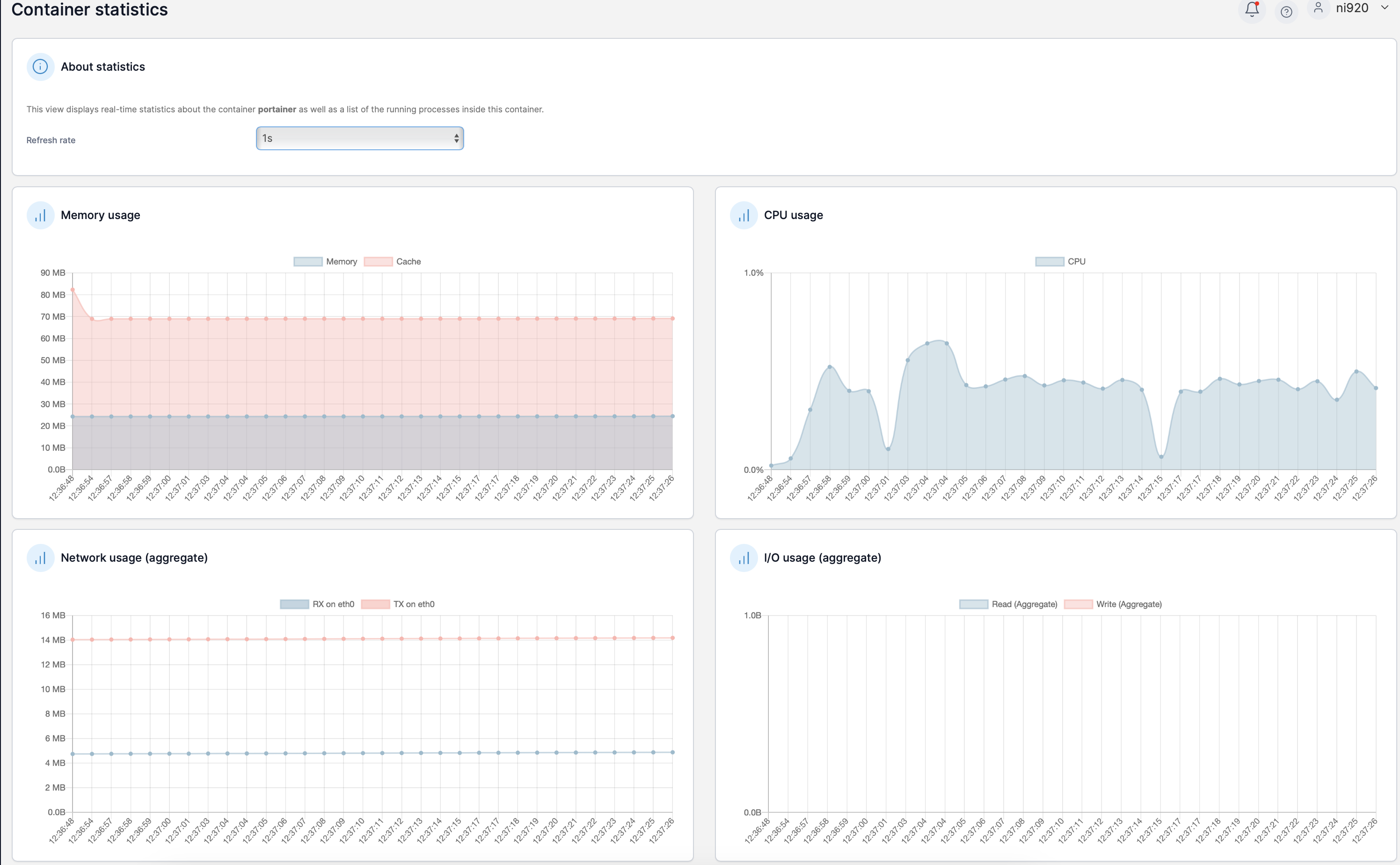
Metrics such as memory usage, CPU usage, network usage, and I/O usage are displayed.
Currently, Portainer does not offer the ability to export metrics or perform checks. For this, I would recommend Grafana + Prometheus.
Nevertheless, it is a nice feature to get a quick overview of the current load.
The last and perhaps most important feature is the ability to manage not only Docker and Docker Swarm but also Kubernetes.
Kubernetes is always the first thing that comes to mind when it comes to container orchestration. It is the big player in this area and is used by many companies.
The only problem is that Kubernetes is not exactly easy to use and is not always necessarily needed.
The great advantage of Portainer here is that it can grow with you. This means I can start with Docker Standalone to manage my containers, then perhaps switch to Docker Swarm to manage my services with rolling updates, and when I need Kubernetes, I can also manage it with Portainer.
From my perspective, this is a huge benefit because, as a company, I don’t have to commit to one technology but have the opportunity to grow with Portainer.
Why This Post? What is Portainer? Practical Section Deploying Portainer Setting Up Portainer …
Kubernetes vs. Docker – Why You Need Both and Shouldn’t Pit Them Against Each Other The …
Docker and Docker Swarm are closely related technologies in the realm of containerization and …